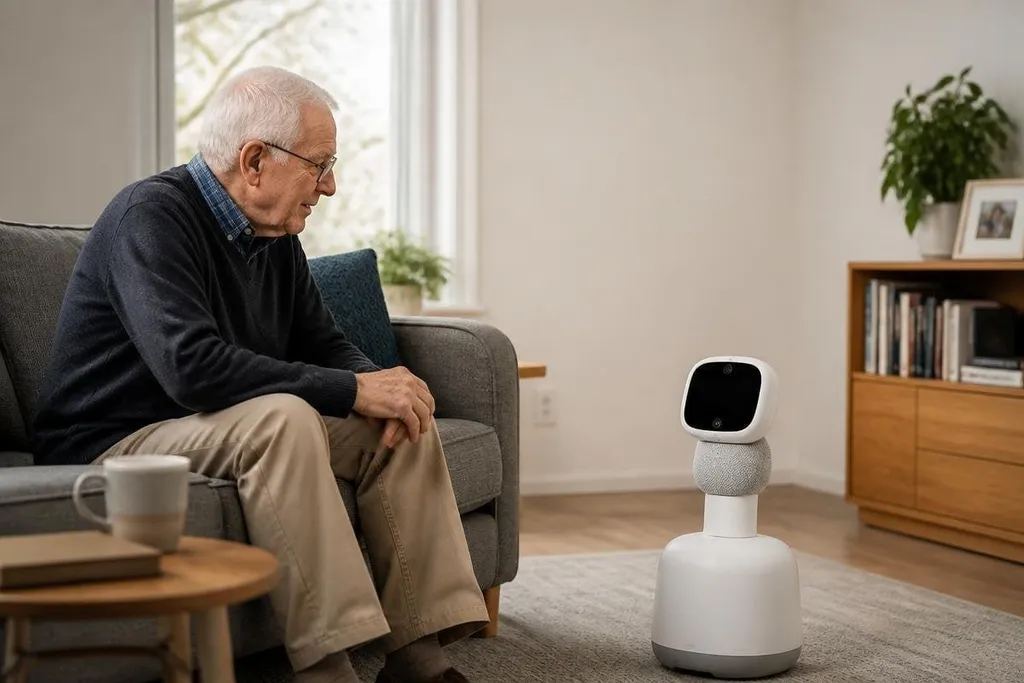
A care robot may remind an older adult to take medicine, spot a fall, or connect them with a family member. Those jobs sound small, but they address the daily gaps between medical visits and human care.
- Reminders can support daily routines.
- Cameras and sensors can watch for falls or unusual movement.
- Robots still need clear limits, human oversight, and a plan for faults.
The jobs robots can handle
Most elder care robots are built around routine tasks. A system may use a speaker and screen for reminders, a camera for video calls, or microphones to detect a spoken request.
A mobile robot can move through a home, while a fixed device can stay beside a bed or chair. That difference matters because a mobile robot may reach a person in another room, but it needs safe paths, working sensors, and enough battery power. A fixed device has less range, yet it avoids many navigation problems.
Fall detection is another clear use. Cameras, depth sensors, or wearable devices can look for a rapid change in body position. The system can then send an alert to a caregiver or call for help, depending on how it was set up.
An alert is not the same as care. A person still needs to check what happened, speak with the older adult, and decide what to do next.
How robots change the work around aging
The main effect may fall on family members and care staff rather than on the older adult alone. Handling reminders can reduce the number of routine calls. A telepresence screen can let a nurse or relative speak with someone without travelling to the home.
That time matters when one caregiver looks after several people. The robot can handle a repeatable task, while a person deals with pain, confusion, fear, or a medical choice. Those needs depend on context that a robot may not understand.
Some systems also record movement, missed reminders, or requests for help. This information may help a care team spot a change in routine, but it creates a privacy question: who can see the data, how long is it stored, and can the older adult turn the system off?
That privacy record belongs beside the robot’s limits. Robot24.com robotics reporting can help care teams check what a system stores and which decisions stay with staff.
The limits are part of the product
A robot in an older adult’s home must work around loose rugs, narrow spaces, pets, poor lighting, and objects left on the floor. Voice control can also fail when a person speaks softly, has a speech disorder, or lives in a noisy room.
Physical help has a harder limit. These systems may fetch a small item or guide someone through a call, but lifting a person after a fall demands a machine built for that load and a care plan that covers failure. A general home robot should not be treated as a lifting device unless its maker states that use and supplies the needed safety controls.
Privacy adds another test. A camera in a bedroom can detect movement, yet the same camera can record private moments. A buyer should ask which sensors are active, where recordings go, and what happens when the internet connection fails.
I'd choose a robot that does one narrow job well over a machine that makes broad promises without clear limits.
A practical buying checklist
Before choosing a care robot, check these points with the older adult and the care team:
- Define the task: write down the job the robot must perform each day.
- Test the home: check door widths, floor surfaces, lighting, stairs, and charging space.
- Set the alert path: name the person who receives an alert and the time they can respond.
- Check failure modes: ask what happens during a power cut, lost network connection, or sensor fault.
- Protect privacy: confirm camera controls, data storage, account access, and deletion options.
- Plan human care: keep a backup person for tasks the robot cannot perform.
The next useful step is a small trial with one task, one room, and a named person checking each alert. That record will show whether the robot helps the care plan or adds another device for someone to manage.